
Did you know you can write a complete, SEO-optimized blog post in just 10 minutes using ChatGPT? What used to take hours of research, outlining, and writing can now be done in a fraction of the time — if you know the right prompts and workflow to use.
In this step-by-step guide, you’ll learn exactly how to use ChatGPT to write a blog post in 10 minutes, including the exact prompts that produce the best results every time.
How to Use ChatGPT to Write a Blog Post — Best Tool for 10-Minute Writing
Before we dive into the process, let’s understand why ChatGPT has become the #1 tool for bloggers worldwide:
- Speed: Write a 1,500-word post in under 10 minutes
- Consistency: Maintain quality across every post, every time
- Versatility: Works for any niche — tech, health, finance, lifestyle
- Cost: The free plan is powerful enough for most bloggers
The 10-Minute ChatGPT Blog Writing Process
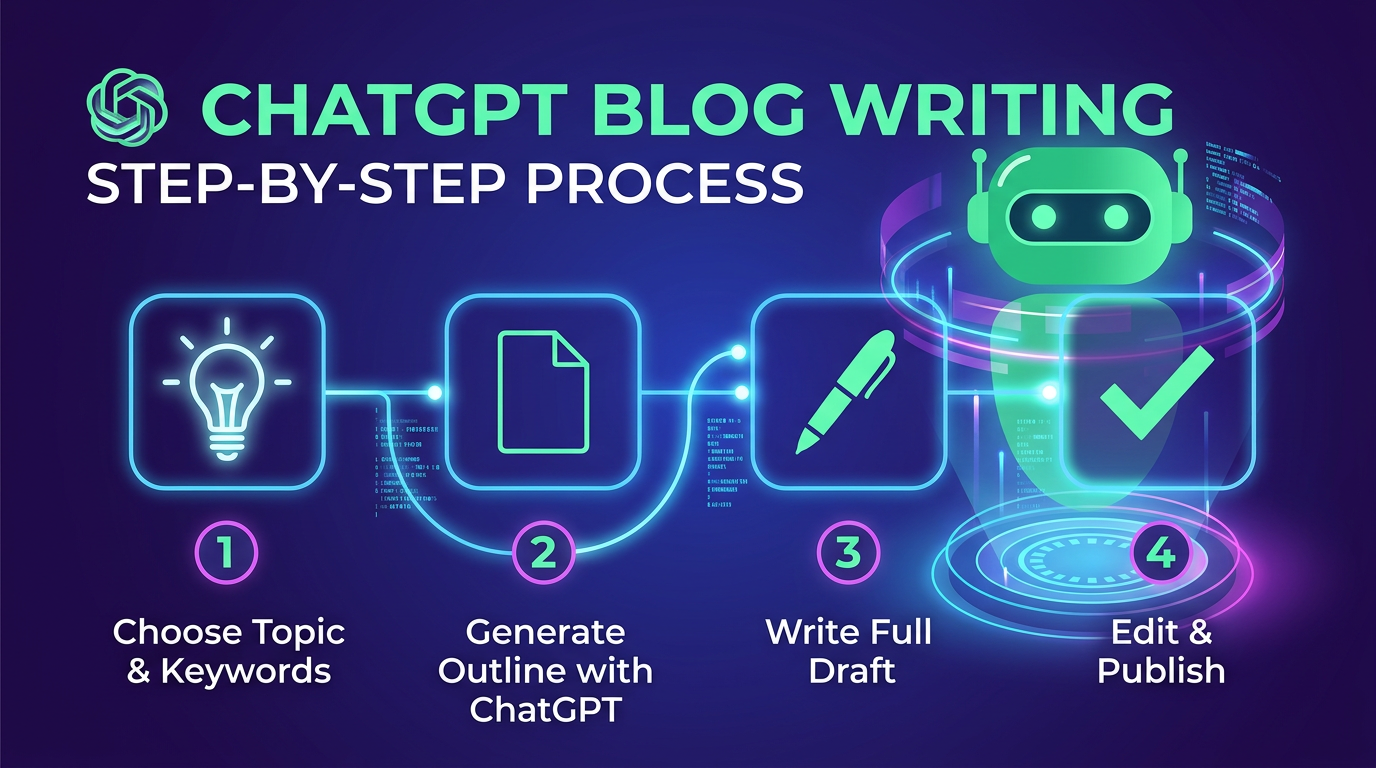
Step 1: Choose Your Topic & Focus Keyword (1 minute)
Before opening ChatGPT, decide on your topic and the main keyword you want to rank for. Use free tools like Google’s “People Also Ask” section or Ubersuggest to find keywords with decent search volume. Knowing your keyword is the first step when you want to use ChatGPT to write a blog post that ranks.
Example: Topic = “AI productivity tools” | Keyword = “best AI tools for productivity 2026”
Step 2: Generate Your SEO Outline (2 minutes)
Use this proven prompt — the fastest way to use ChatGPT to write a blog post outline — to get a complete, SEO-optimized outline in seconds:
Create a detailed SEO-optimized blog post outline for the keyword "[your keyword]".
Include: H1 title, meta description, H2 and H3 headings, key points for each section,
and a conclusion with CTA. Target word count: 1,500-2,000 words.
Step 3: Write the Full Draft (5 minutes)
Once you have the outline, use ChatGPT to write a blog post draft instantly with this prompt:
Write a complete, engaging blog post based on this outline: [paste outline].
Requirements:
- Conversational but professional tone
- Include specific examples and data where relevant
- Use short paragraphs (2-3 sentences max)
- Add transition phrases between sections
- Target keyword: [keyword] — include naturally 4-5 times
- Word count: 1,500-2,000 words
Step 4: Edit, Optimize & Publish (2 minutes)
Once you use ChatGPT to write a blog post draft, do a quick pass to:
- Add your personal insights or real-world examples
- Verify any statistics or facts mentioned
- Run through Grammarly for a quick grammar check
- Add your focus keyword to the title, first paragraph, and meta description
- Upload relevant images and publish!
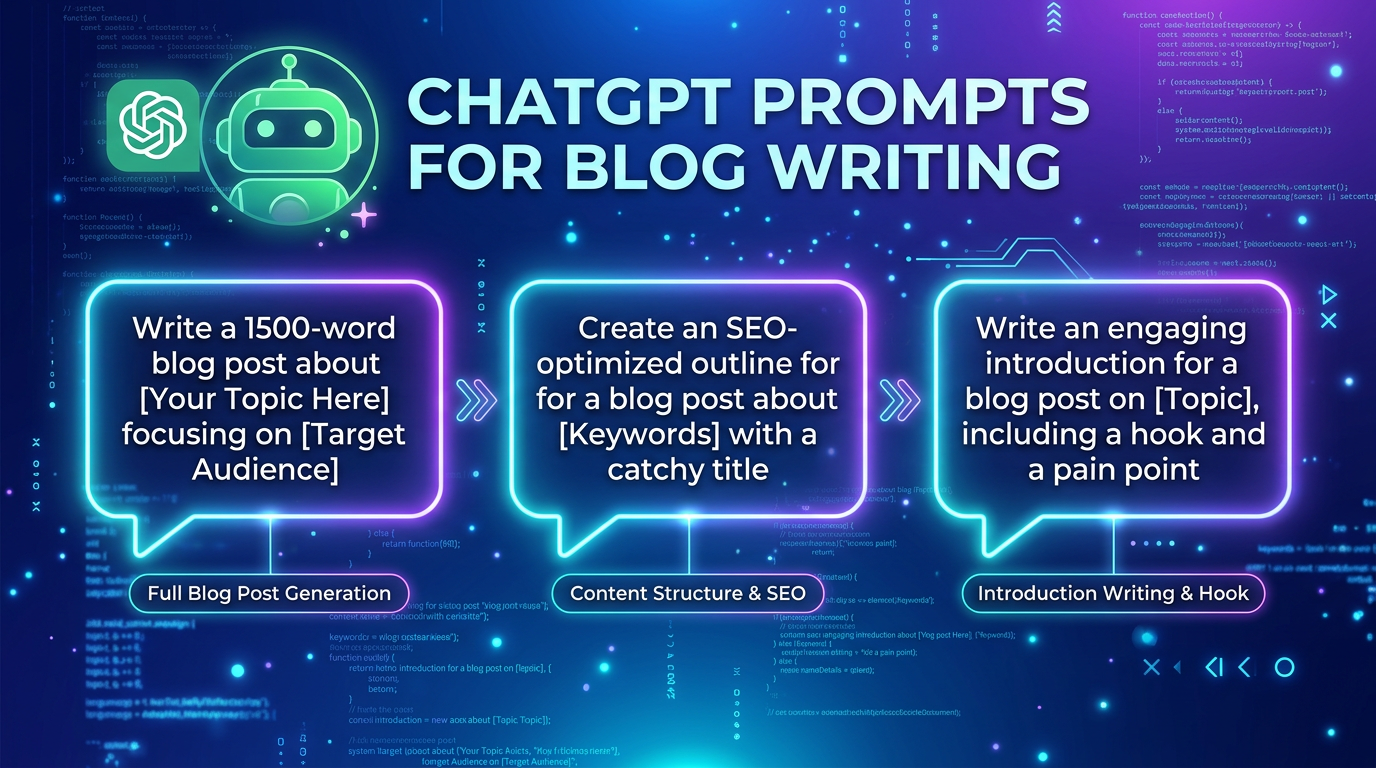
10 Best ChatGPT Prompts to Write a Blog Post Faster
Here are the most effective prompts for every stage of the blog writing process:
| Purpose | ChatGPT Prompt |
|---|---|
| Blog title ideas | “Give me 10 SEO-optimized title ideas for a post about [topic]” |
| Introduction | “Write a compelling 150-word introduction for a blog post about [topic]” |
| Full outline | “Create an SEO outline for [keyword] with H2 and H3 headings” |
| Section content | “Write 300 words for the section titled [heading]” |
| Conclusion + CTA | “Write a conclusion with a call-to-action for a post about [topic]” |
| Meta description | “Write a 155-character meta description for [post title]” |
| FAQ section | “Generate 5 FAQs with answers for a blog post about [topic]” |
| Social media captions | “Write 3 Twitter/X posts promoting this blog article: [title]” |
Pro Tips for Better ChatGPT Blog Posts
- Always fact-check: ChatGPT can hallucinate statistics — verify key claims before publishing.
- Add your voice: Insert personal anecdotes or opinions to make content unique.
- Use specific prompts: The more detail you give ChatGPT, the better the output.
- Iterate quickly: If the first draft isn’t perfect, ask ChatGPT to “rewrite the introduction to be more engaging.”
- Combine with SEO tools: Use Rank Math or Yoast to optimize after ChatGPT writes the draft.
Final Thoughts
Learning how to use ChatGPT to write a blog post in 10 minutes is one of the highest-leverage skills a blogger can develop in 2026. By combining the right prompts with a consistent workflow, you can produce high-quality content at a pace that was simply impossible before AI.
Start with one post using this framework, refine your prompts as you go, and you’ll quickly develop a system that works perfectly for your niche and writing style. Now you know exactly how to use ChatGPT to write a blog post in 10 minutes — start today!
Ready to try it? Open ChatGPT now and use the prompts above to write your next blog post!
Looking for more AI blogging tips? Check out our guides on the best free AI tools and best AI tools for productivity!