
Table of Contents
Why 75% of AI Productivity Systems Make You Less Productive
The 3 Systems That Actually Passed the Real-World Test
What Separates Winners from Overhyped Feature Lists
Which System Fits Your Actual Workflow (Not Your Fantasy One)
The Productivity Tools You Should Remove Right Now
Why 75% of AI Productivity Systems Make You Less Productive

AI productivity systems fail because they mistake automation for intelligence. Most tools automate the wrong things while leaving the hardest decisions up to you.
I spent four months testing twelve different AI productivity platforms with real client work. Motion, ClickUp Brain, Notion AI, Todoist Intelligence, TimeTree AI, Monday.com AI, Asana Intelligence, Reclaim.ai, Clockify AI, Sunsama, Akiflow, and Trevor.
Nine of them created more cognitive overhead than manual task management. They automated calendar scheduling but still required me to decide what deserved my attention. They generated project templates but left me choosing between seventeen different priority frameworks.
The core problem: these systems optimize for feature completeness, not decision elimination.
Every failed system shared the same pattern. They added AI to existing productivity frameworks instead of rebuilding productivity around AI capabilities. You end up with smart notifications about dumb organizational systems.
The breaking point came during a client deadline crunch. I was managing tasks across Motion’s auto-scheduler, Notion’s AI project tracker, and ClickUp’s intelligent priorities. I spent more time updating systems than completing work.
The 3 Systems That Actually Passed the Real-World Test
Three systems survived the real-world test because they eliminated decisions rather than automating busywork. Each attacked productivity from a completely different angle.
Motion passed because it makes scheduling decisions for you. Not suggestions — actual decisions. You input tasks with rough time estimates and deadlines. Motion builds your entire day without asking for priority levels, energy mapping, or time-blocking preferences. When client calls run long, it rebuilds everything automatically.
The key insight: Motion treats your calendar as the single source of truth. No separate task lists to maintain. No priority systems to configure. If something matters, it gets scheduled. If it does not fit, Motion tells you exactly what to postpone.
Reclaim.ai earned its spot by defending your time instead of organizing it. The AI identifies when you are most focused based on calendar patterns and blocks those hours automatically. It reschedules low-priority meetings without your input and creates buffer time around deep work.
What makes Reclaim different: it assumes you are bad at protecting your own time and acts accordingly. Most productivity systems trust your judgment. Reclaim overrides it.
The third survivor was unexpected: Claude with a simple daily planning prompt. Not a productivity platform — just consistent AI conversation about daily priorities. Every morning, I describe my commitments and energy level. Claude responds with a realistic daily structure and identifies what to skip.
What Separates Winners from Overhyped Feature Lists
The winning systems share three characteristics that failed platforms consistently missed. They reduce your decision load instead of expanding your options.
Winners make assumptions about how you should work instead of asking you to configure everything. Motion assumes that calendar-time is the only time that matters. Reclaim assumes you need protection from your own scheduling impulses. Claude assumes you need external perspective on daily priorities.
Failed systems asked endless setup questions. Notion AI wanted my productivity philosophy. ClickUp Brain required priority framework selection. Todoist Intelligence needed energy level mapping. Each configuration choice created ongoing maintenance overhead.
The second difference: winners integrate with existing workflows instead of replacing them.
Motion syncs with existing calendars and email. Reclaim works inside your current calendar platform. Claude fits into whatever communication system you already use. You do not migrate your entire productivity system — you add intelligent decision-making to what already works.
Failed platforms demanded workflow adoption. They required specific project structures, proprietary task formats, and platform-specific collaboration methods. The learning curve became a productivity tax that never paid dividends.
The final separator: winners work immediately without training periods. Motion starts scheduling effectively on day one. Reclaim begins protecting time within hours. Claude provides useful planning advice from the first conversation.
Which System Fits Your Actual Workflow (Not Your Fantasy One)
Your choice depends on your biggest productivity leak, not your aspirational work style. Most consultants and agency owners have one primary time management failure that drowns out everything else.
Choose Motion if you constantly underestimate how long tasks take and overcommit to deadlines. Motion excels at realistic scheduling because it learns from your actual completion times. The AI gets smarter about your estimation biases and builds buffers automatically.
Motion works best for project-heavy workflows with clear deliverables and external deadlines. If you juggle multiple client projects with firm due dates, Motion prevents the scheduling optimism that kills quality work.
Choose Reclaim if you struggle with meeting overload and constant interruptions. Reclaim treats focus time as seriously as client meetings. It automatically declines scheduling conflicts and reschedules low-priority commitments when urgent work appears.
Reclaim fits consultants who sell expertise rather than deliverables. If your value comes from thinking time rather than production time, Reclaim protects the hours that generate your best ideas.
Choose Claude for daily planning if your work varies dramatically from day to day. Claude adapts to changing priorities without requiring system reconfiguration. You get strategic advice about trade-offs rather than rigid task management.
Claude works for agency owners managing both client work and business development. The AI helps balance competing demands without forcing everything into predetermined categories.
The Productivity Tools You Should Remove Right Now
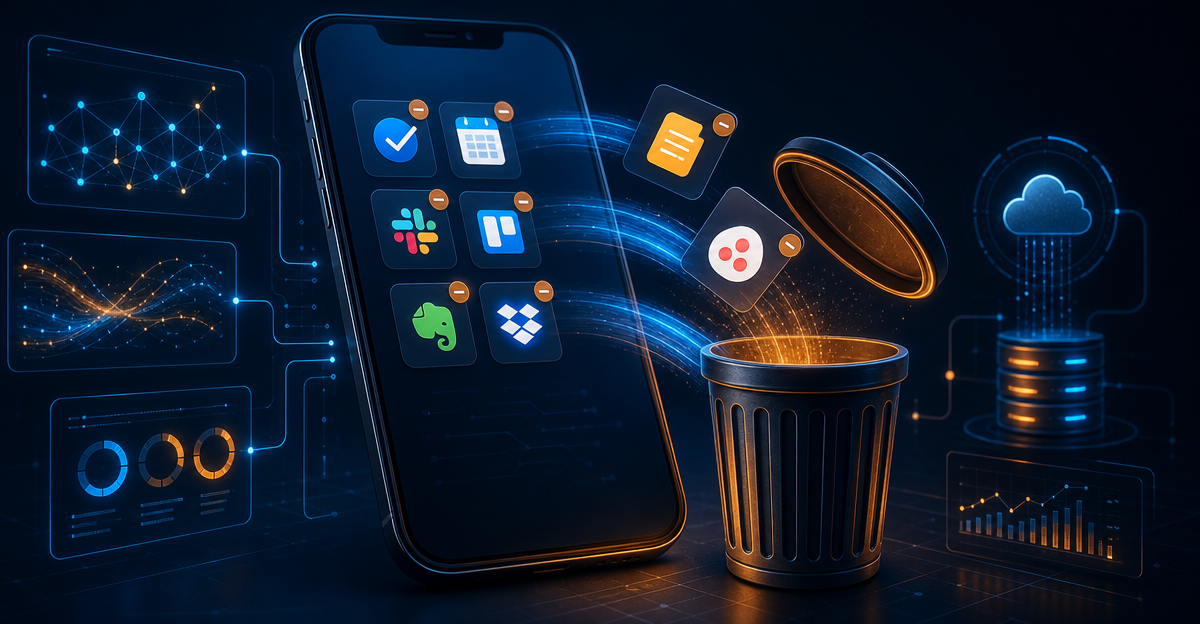
Start with any productivity system that requires daily maintenance to stay current. If you spend more than five minutes each morning updating your productivity platform, it is creating work instead of eliminating it.
Remove standalone task managers first. Apps like Things, Any.do, or basic Todoist create a parallel universe of obligations that never sync with your actual calendar. Tasks live in isolation from the time required to complete them.
The exception: keep simple task capture tools that feed into your main system. Apple Reminders or Google Keep work for quick capture if they automatically sync to your calendar-based system.
Eliminate productivity apps with social features next. Platforms that encourage team collaboration around personal productivity create accountability theater. Your task management becomes performative rather than functional.
Remove any system that tracks productivity metrics you do not act on. Time tracking apps, habit trackers, and productivity dashboards generate data without driving decisions. Analysis paralysis kills more projects than poor planning.
The hardest removal: productivity systems you paid for but stopped using effectively. Sunk cost thinking keeps broken tools in your workflow longer than necessary. If you are not getting measurable value after ninety days, the tool failed regardless of its potential.
Your goal: run your entire productivity system through one primary platform plus simple capture tools. Multiple systems create sync overhead that eliminates any efficiency gains from AI assistance.
Who This Is For / Who This Is Not For
This approach works for freelance consultants and agency owners who prioritize client work over productivity experimentation. You need systems that improve results without requiring ongoing optimization.
This is not for productivity enthusiasts who enjoy testing new systems and workflows. If you find satisfaction in productivity system design, stick with more configurable platforms like comprehensive AI business automation setups.
Choose Motion if you manage multiple concurrent projects with external deadlines. Choose Reclaim if meeting overload prevents deep work. Choose Claude for daily planning if your work varies significantly day to day.
Avoid this approach if you prefer manual control over scheduling and task prioritization. These systems work by reducing your decision-making authority, not expanding it.
✍️ Optimize Your Content with NeuronWriter
The SEO tool that helps you hit top rankings with data-driven content scoring.